What is the random team generator?
The random team generator splits a list of names into fair teams, groups or pairs. Paste your class, your club or your friends, say how many teams you want, and it deals everyone out at random. Teachers use it for group work, project teams and speaking partners. Coaches use it for pick-up sides. Anyone running a game night uses it to make the teams nobody can argue with.
It is part of RandomWheel, so the wheel is never far away: you can spin names into their teams one by one on the projector, spin for which team goes first, and give every team a random country, topic or brawler from any wheel on the site. It is free, it needs no account, and the names never leave your browser.
How to use the random team generator
1. Enter the names
Type or paste the names into the box, one per line. Pasting straight from a spreadsheet or a class register works: a leading number column, tabs, email addresses and a header row such as "Surname, Name" are removed, and a name written as "García López, Ana" stays one person. If you paste a single line, commas and semicolons separate the names.
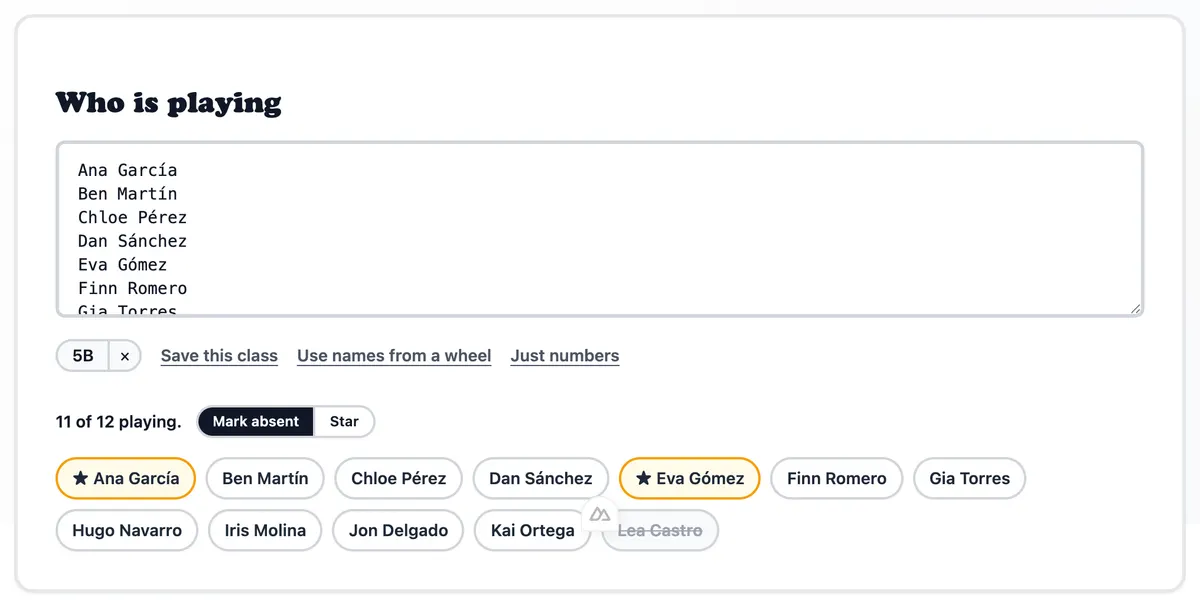
Every name appears as a chip under the box, with a counter of how many are playing. Use the switch next to the counter to choose what a click on a chip does: Mark absent strikes a name out for today without deleting it, and Star marks the people you want spread evenly across the teams, for example your strong readers or your fastest runners. Click a starred name again for two stars, and a third time to clear it.
The links under the box cover the less frequent needs. Save this class keeps the list in your browser under a name, so next Monday you pick it from the row of saved classes instead of pasting it again; up to five classes are kept. Use names from a wheel pulls the options of any public wheel on the site, or of a curated wheel, into the box. Just numbers replaces the names with 1, 2, 3 and so on, for teachers who would rather not type student names into a website at all.
The box remembers your names between visits, and a small "from last time" pill tells you when it did. Clear empties it, which matters on a shared classroom computer.
2. Choose how to split
Number of teams makes exactly that many teams and spreads the extra people one per team, so 14 people in 4 teams gives two teams of 4 and two of 3. People per team sets a maximum size instead and makes as many teams as needed. The sentence under the two options tells you what you will get before you split.
Team names picks the set the teams are named from: colours, animals, school things, space, food, Halloween, Christmas, fantasy, party, or plain Team 1, Team 2. Every team name can be edited on the result card afterwards. Roles in each team draws a role for members of every team: a captain only, the classroom set of captain, scribe, timekeeper and presenter, lab roles, the jigsaw roles used in cooperative learning, or your own list typed with commas.
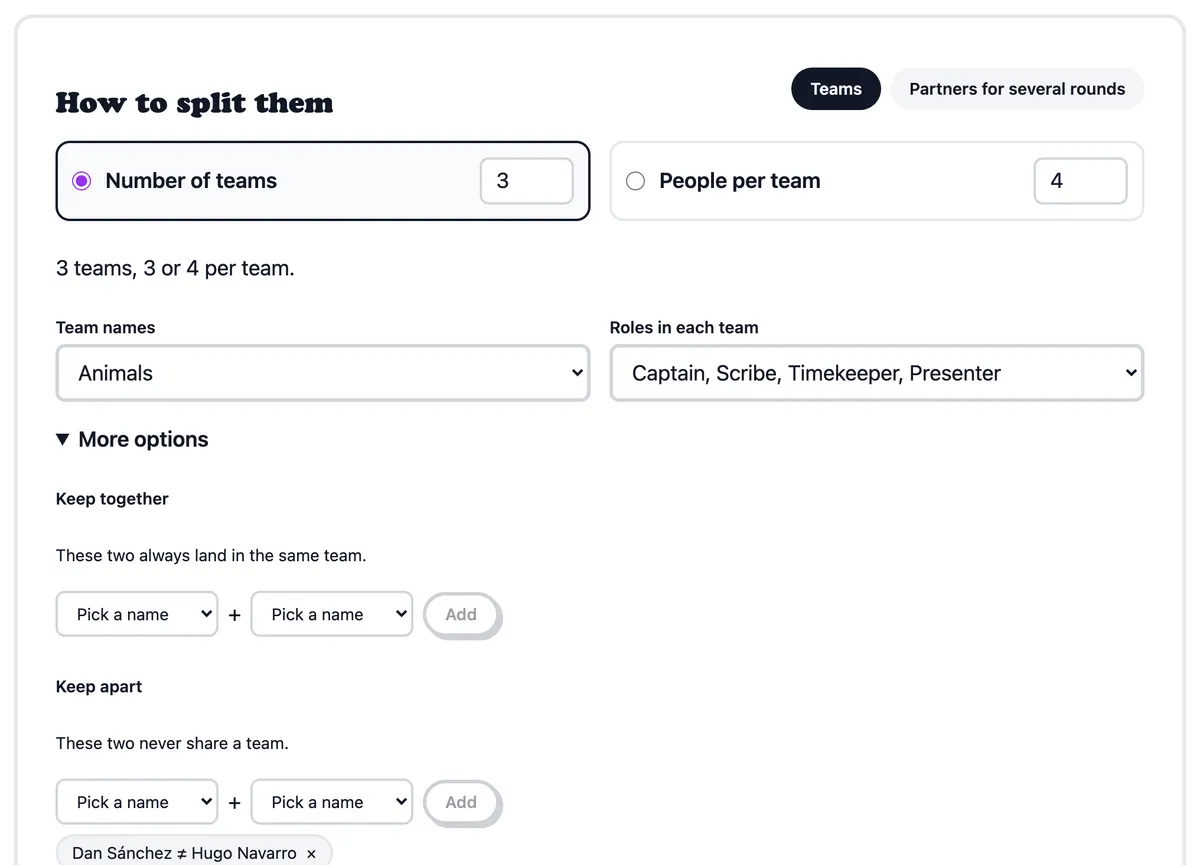
3. More options
Keep together makes two people always land in the same team, for example a student and their support partner. Keep apart makes two people never share a team. Pick the two names from the dropdowns and click Add; a rule can be removed with the cross next to it. The split respects every rule it can, and tells you if the rules could not all be met, which happens when you ask to keep more people apart than there are teams.
Balance the teams explains the stars: starred people are dealt first, one per team, so every team gets its share of them before the rest are added.
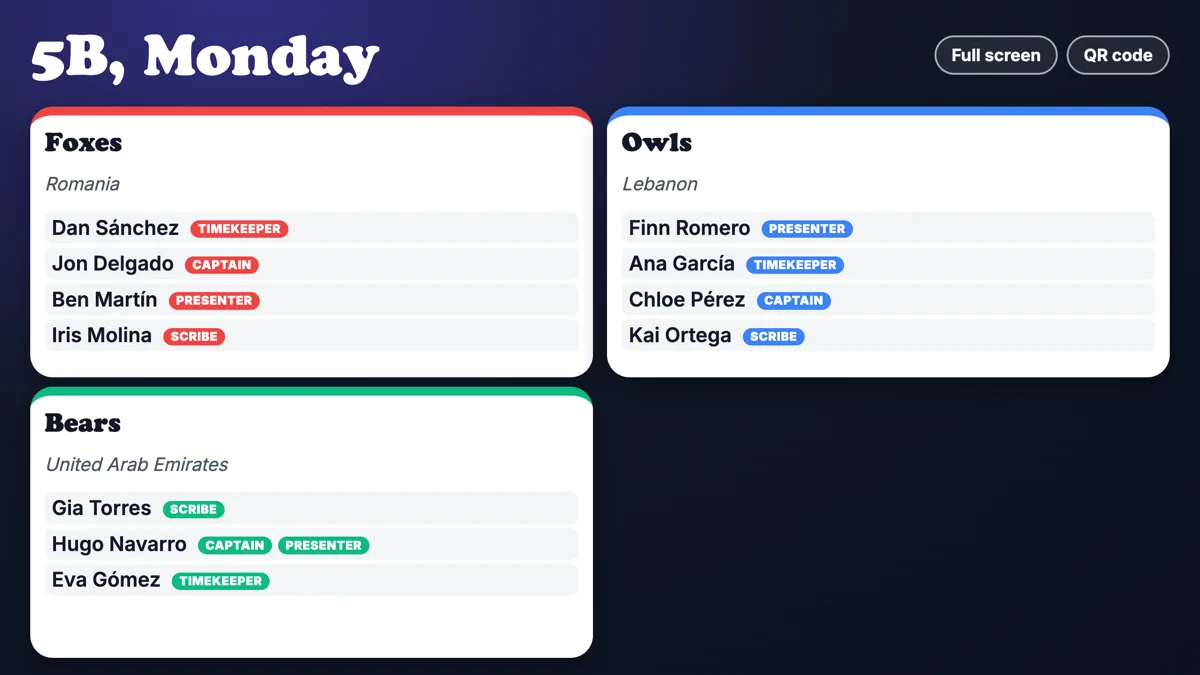
Give each team something from a wheel hands every team one option from a wheel of your choice. Paste a wheel link, or use one of the suggestions: a country to research, a Pokémon type, a brawler, a dish. The options are handed out without repeats while they last, and they show on the team cards, in the exports and on the projector. Any public wheel on RandomWheel works, so a wheel of debate topics or novel titles you made yourself works too.
4. Split now, or draw with the wheel
Split now makes the teams instantly. Draw with the wheel puts every name on a wheel and spins them into their teams one at a time, with the sound and the confetti of a normal spin, which is the version for the projector. Click the wheel or press Space to spin; Fill the rest now finishes the draw in one go if the lesson is running short.
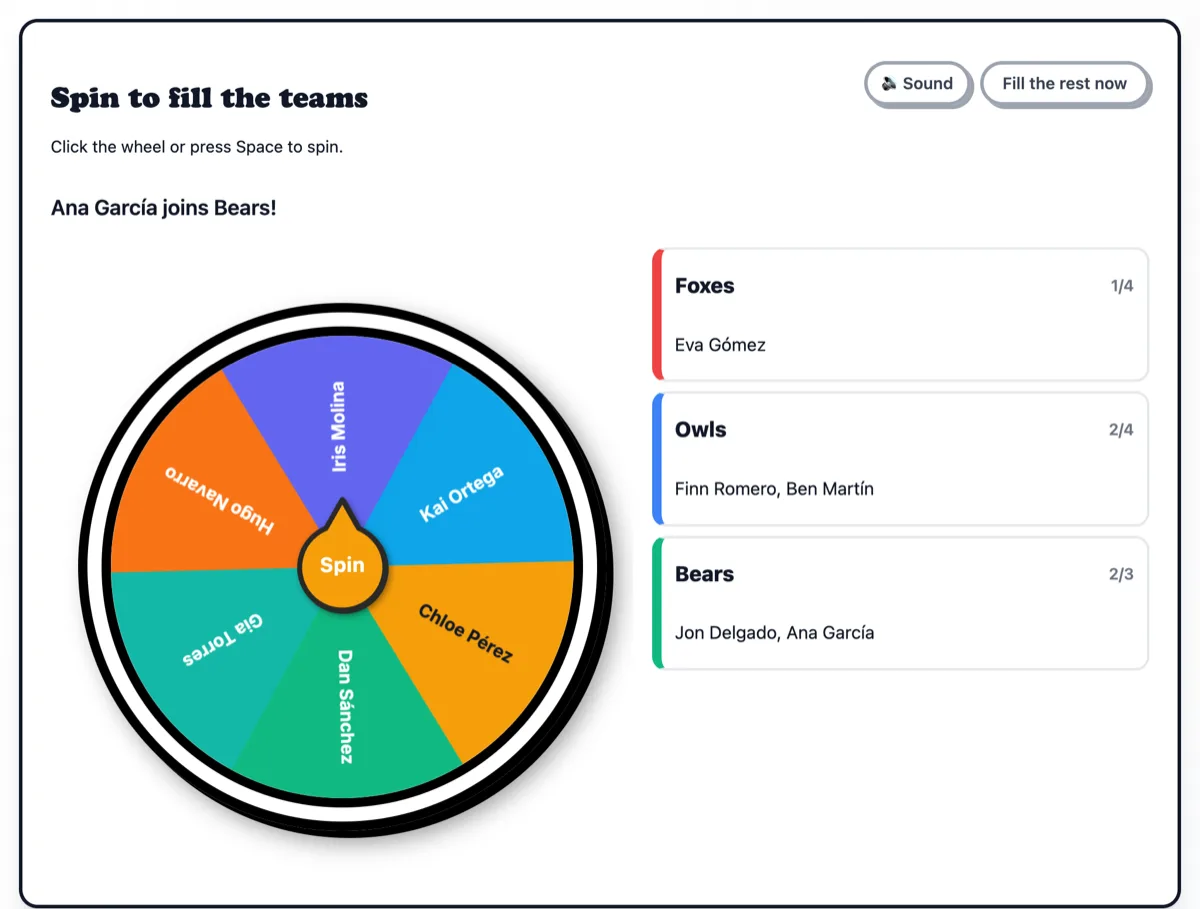
The teams are planned before the first spin, so keep-together, keep-apart and the stars all hold during a draw. The wheel only decides the order in which the names are revealed.
5. The teams board
Every team is a card with its name, its members, their roles and its assignment. The name at the top of a card is editable. The title above the board is editable too and follows the result into the share link, the image and the projector.
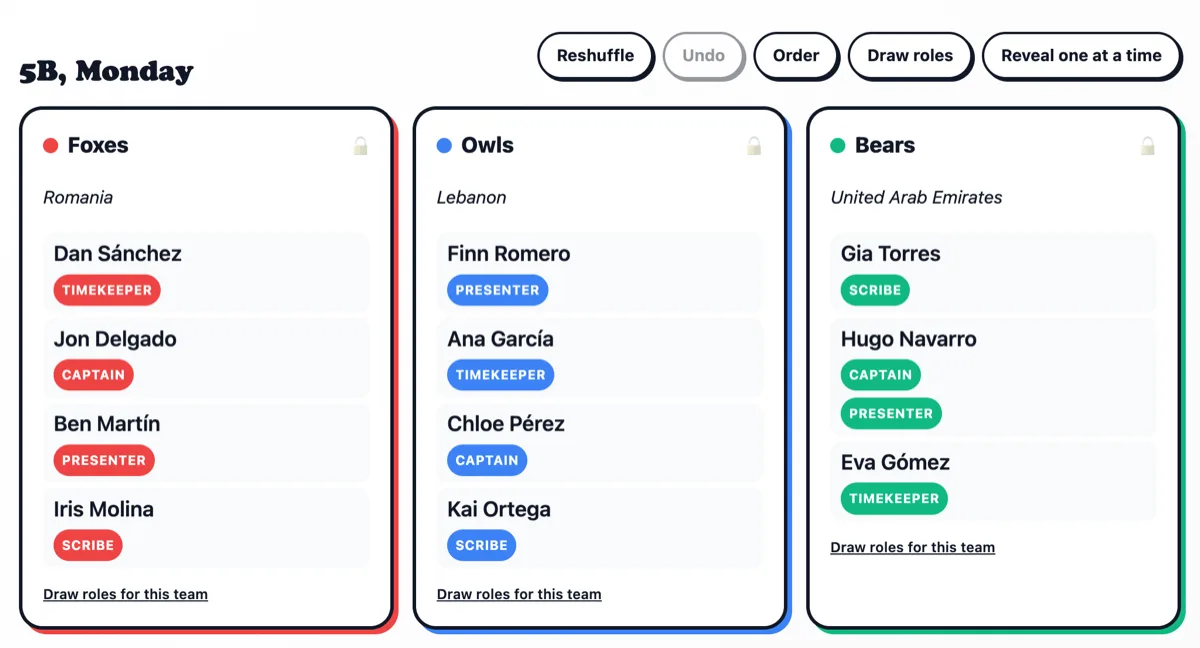
To move someone, drag their name onto another card, or use the small arrow menu next to the name, which is how it works on a phone. Reshuffle makes new teams; lock a card first with the padlock and that team stays as it is while the rest are reshuffled. Undo takes you back one step at a time. Draw roles draws the roles again for every team, and each card has its own link to draw roles for that team only.
Order shuffles the cards into turn order and pops a number onto each one, so the class sees who goes first, second and so on. Reveal one at a time blurs every card and adds a Reveal button to each, so you can show the teams to the class one by one and keep the suspense.
6. Partners for several rounds
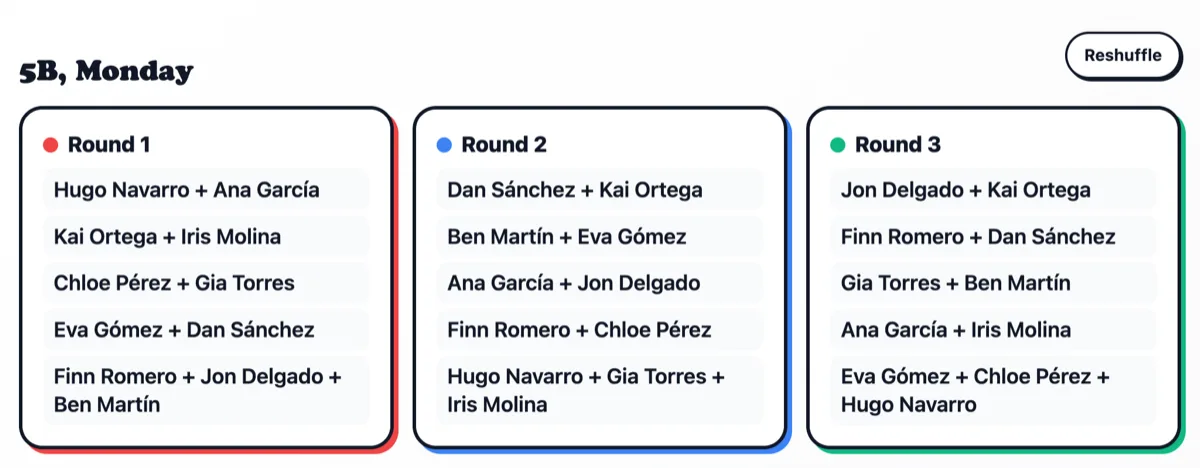
The second tab, Partners for several rounds, is for speaking practice and any activity where everyone should work with a new partner each round. Choose how many rounds and the generator pairs everyone so that nobody repeats a partner; with an odd number of people, one pair becomes a trio each round. The most rounds possible is one fewer than the number of people, and the page says so if you ask for more.
Share, export and the projector
Copy as text gives you the teams as plain text for a chat or a document. Download CSV gives a spreadsheet with a row per person, their team, their role and the team's assignment. Save as image makes a card with every team for a class group or a story. Print prints only the board.
Share link is a link that carries the whole result inside it, so anyone who opens it sees the teams, with no account and nothing stored on our servers. Post it in Google Classroom, Teams or a group chat. Tick Share with initials only to send a version with initials instead of full names. QR code shows the same link as a code students can scan.
Open on the projector opens a clean full-screen view: big cards on a dark background, sized so a whole class fits one screen. Where students can use phones, the QR code button shows a code they scan to see their team on their own phone. Click the code to show it full screen for the back row. For partner rounds the projector shows one round at a time, with buttons and the arrow keys to move to the next.
Random and private
The names, the saved classes and the last split are kept in your browser only. Nothing is sent to our servers, and the share link is the only way the names leave your computer, because they travel inside the link itself. Share it where you would share a class list, or use the initials-only version. The absences and the last result are forgotten after twelve hours; the saved classes, the rules and the stars stay until you clear them.
The split and every spin use the browser's cryptographically secure random number generator, the same one behind every wheel on the site. The numbers are public: Randomness audit
Ways to use it
Groups for class
Paste the class list once and save it. On Monday, mark who is absent, choose four teams, and spin. Keep the two who talk too much apart, and star your strong readers so every group gets one.
Speaking partners
Language teachers: pick Partners for several rounds and every student talks to a new partner each round, with nobody repeated. Show the rounds on the projector or hand out the link.
Project teams with a topic each
Split the class, then give each team a random country from the country wheel, or a topic from a wheel you made. Every team knows its subject the moment the cards appear.
Game night and sports
Pick-up football, Brawl Stars 3v3, a quiz night. Split the group, draw a captain per team, spin for who goes first, and hand each team a random brawler or map.